Best design skills for Claude Code and Codex: 10 picks for UI
These ten skills cover the whole UI workflow in Claude Code and Codex: art direction, color and type, critique, motion and a final check before release. Each one comes with install commands for both agents. Updated October 29, 2026.

Contents10 sections
Which design skill should you use for which task?
- A new site or landing page: Taste Skill or Hallmark.
- Improving a site you already have: Taste Skill audits it first, then Impeccable handles the details.
- Palette, fonts and a design system: UI UX Pro Max and Color Expert.
- Removing the tells of AI-made layouts: Impeccable and Jakub Krehel's skills.
- Animation in Claude Code and Codex: the
animateskill from Emil Kowalski's set, plus GSAP AI Skills for scroll effects. - A check before release: web-design-guidelines from Vercel and Web Quality Skills.
You don't need all ten at once. Their rules overlap, and the agent spends context on duplicates. Three is enough to start: Taste Skill for direction, Impeccable for critique and web-design-guidelines for the final check. Add the rest when a task calls for them.
Those three starters are collected in a three-skill bundle with all install commands on one page. If you're not sure what fits, describe your project in Foxx AI matching or open the UI design collection.
Why does an agent need design skills at all?
Without design skills, an agent builds an interface from the most common choices it saw in training. That's where the Inter font, the purple gradient, cards nested in cards and gray text on colored backgrounds come from. People spot that kind of site immediately.
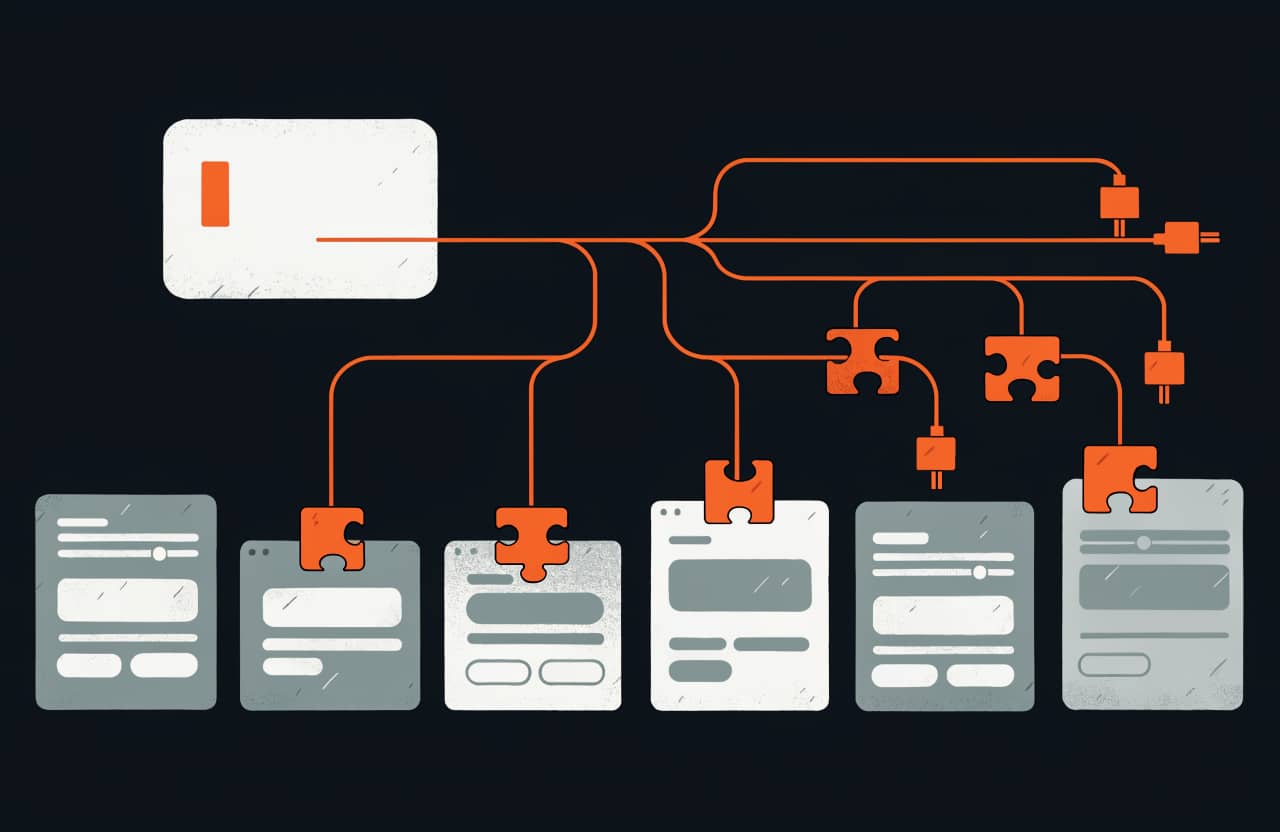
A skill changes the default behavior. Technically it's a folder with a SKILL.md file that the agent reads before it starts. Inside are rules, references and checks the model doesn't have on its own. Claude Code and Codex read the same format, so every skill in this list works in both agents.
I build the SkillFoxx interface with these skills. Every page goes through web-design-guidelines and Impeccable before it ships.
How do you install a skill in Claude Code and Codex?
npx skillfoxx add finds the agent folders in your project, checks the recipe signature and shows the access level before anything is installed. With --agent claude-code the skill goes only to Claude Code, with --agent codex only to Codex. In Codex a skill lives in .agents/skills and you call it with $skill-name or from the /skills menu. In Claude Code you call it with /skill-name. Codex setup in more detail, including manual installs and MCP, is in my guide to Codex skills.
Do these design skills work in Cursor?
Cursor reads the same SKILL.md format. In the catalog, eight of the ten skills here are marked as Cursor-compatible: Taste Skill, Hallmark, UI UX Pro Max, Color Expert, Impeccable, Jakub Krehel's set, GSAP AI Skills and Web Quality Skills. They install with the --agent cursor flag.
npx skillfoxx add skills/taste-skill --agent cursorImpeccable has its own installer for Cursor. Run it from the project root.
npx impeccable install --providers=cursorEmil Kowalski's skills are marked in the catalog for Claude Code only, so for animation in Cursor use Motion Design Skill or Transitions.dev. web-design-guidelines installs with Vercel's command.
npx skills add vercel-labs/agent-skills --skill web-design-guidelines -a cursorHow do you keep an AI-built site from looking like a template?
Taste Skill
Taste Skill starts from the brief. Since version 2 the repository holds a single skill, design-taste-frontend. It lists what only this client has, picks one of three directions that a script offers out of 20, builds the page with real photos from open collections and then checks it in a real browser at three widths. After that it looks at its own screenshots and fixes the top problems, up to three rounds. Since v2.1 it also handles dashboards and app screens with separate rules.
The author says a build takes about 30 to 45 minutes and a few hundred thousand tokens. The skill needs Node 22 or newer and Chrome, Edge or Chromium, and goes online only to find pictures. Redesigning an existing site is now part of the main skill: it audits the page in a browser before changing anything. The older style skills, including gpt-taste for GPT models, moved to the taste-skill-classics repository, and the image skills such as brandkit moved to imagegen-skills. Check the catalog card for the current access level, since the skill now runs scripts and a browser.
- Claude Code:
npx skillfoxx add skills/taste-skill --agent claude-code - Codex:
npx skillfoxx add skills/taste-skill --agent codex
Hallmark
Taste Skill picks a style, while Hallmark restructures the page itself: block order, grid and hierarchy. audit scores existing code against a list of anti-patterns and changes nothing. redesign rebuilds the visual layer and keeps the content and wiring, and study breaks down a design you like from a screenshot or a URL. A separate rule forbids the agent from making up metrics or testimonials on a landing page. Access is minimal, and the skill deletes files only after you confirm.
- Claude Code:
npx skillfoxx add skills/hallmark --agent claude-code - Codex:
npx skillfoxx add skills/hallmark --agent codex
Which skills help with color, fonts and a design system?
UI UX Pro Max
UI UX Pro Max keeps a local database. Its README lists 79 searchable styles, 192 palettes, 74 font pairings, 25 chart types and 119 UX guidelines across 22 stacks. The agent picks a style, colors and fonts by product type, writes the code and checks the result against the guidelines. Search runs on Python 3 with no network access. Logos and branding are in the author's paid version. Access is extended because the install adds a global npm package and the skill runs local scripts.
- Claude Code:
npx skillfoxx add skills/ui-ux-pro-max --agent claude-code - Codex:
npx skillfoxx add skills/ui-ux-pro-max --agent codex
The author also ships an installer. Install it with npm install -g ui-ux-pro-max-cli, then uipro init --ai codex adds the skill to Codex. For Claude Code use the same command with --ai claude.
Color Expert
When a ready-made palette isn't enough and you need your own, use Color Expert. It tells the agent which color space fits the task and how to build even OKLCH scales for tokens. It checks contrast against APCA and WCAG. The references hold more than 100 documents, and the agent opens the relevant ones as it works. It's instructions and references only, so access is minimal.
- Claude Code:
npx skillfoxx add skills/color-expert --agent claude-code - Codex:
npx skillfoxx add skills/color-expert --agent codex
Which skills critique and polish a finished UI?
Impeccable
Impeccable gives the agent 24 design commands, among them audit, critique, polish, typeset, layout and animate. Its README lists 62 deterministic rules that find AI-layout tells in code without calling the model: gradients, nested cards, gray text on color. The init command writes product context to PRODUCT.md, and live mode tries out variants of an element right in the browser. It's the only skill here with broad access: on first run it downloads an executable engine and installs hooks that fire on edits.
npx skillfoxx has no automatic install for it, so use the author's installer from the project root. For Codex that's npx impeccable install --providers=codex. After installing, open the /hooks menu in Codex, approve the project hook and call the skill with $impeccable. For Claude Code use npx impeccable install --providers=claude or the marketplace, /plugin marketplace add pbakaus/impeccable, then pick Impeccable from /plugin. Start with /impeccable init. Steps for other agents are on the card.
Jakub Krehel's skills
Jakub Krehel's set is split by topic: better-typography, better-colors, better-layout and better-accessibility. The first watches the type scale and line breaks, the second checks the palette and contrast. better-ui polishes the details of a finished interface, and better-interface runs every check in one command. For the small stuff the author has a separate details skill: concentric border radii, optical alignment, tabular numbers, hit areas of at least 44 pixels. Both have minimal access.
- Claude Code:
npx skillfoxx add skills/interfaces-skills --agent claude-code - Codex:
npx skillfoxx add skills/interfaces-skills --agent codex - Details skill for Codex:
npx skillfoxx add skills/make-interfaces-feel-better --agent codex
What's the best skill for animation in Claude Code and Codex?
Emil Kowalski's skills
Emil Kowalski's set, from the author of the Sonner toast library, has 16 skills about animation and small interface details. animate builds an animation from scratch: first it decides whether motion is needed at all, then picks the easing and duration. review-animations checks an existing animation, and find-animation-opportunities looks for places where motion helps and cuts the rest. The rules reflect the author's own approach, including the libraries he uses. Access is minimal.
In Claude Code you call it with /animate, in Codex with $animate.
- Claude Code:
npx skillfoxx add skills/skills-for-designers-and-engineers --agent claude-code - Codex:
npx skillfoxx add skills/skills-for-designers-and-engineers --agent codex
GSAP AI Skills
For complex scroll animation, the official GreenSock skills fit better. Eight skills cover reference GSAP patterns: timelines, ScrollTrigger, plugins, React with useGSAP, Vue, Svelte and performance. Install the gsap library in your project separately. Access is minimal, the set is instructions and code samples.
- Claude Code:
npx skillfoxx add skills/gsap-ai-skills --agent claude-codeor the marketplace,/plugin marketplace add greensock/gsap-skills - Codex:
npx skillfoxx add skills/gsap-ai-skills --agent codex
How do you check a UI before release?
web-design-guidelines
The web-design-guidelines skill from Vercel's set reviews an interface against Vercel's Web Interface Guidelines: accessibility, forms, keyboard focus, animation and typography. For me it's a required step before every page ships. The same set has React and Next.js performance rules. The set as a whole has extended access because of a deploy skill that uploads project code to Vercel.
So for design review it's easier to install just this one skill with Vercel's command. The --skill flag picks it from the set, and the deploy skill stays out of your project.
- Claude Code:
npx skills add vercel-labs/agent-skills --skill web-design-guidelines -a claude-code - Codex:
npx skills add vercel-labs/agent-skills --skill web-design-guidelines -a codex
Web Quality Skills
Addy Osmani's six skills add measurements of the live site to rule-based review: speed, Core Web Vitals, WCAG 2.2 accessibility and SEO. They keep measured problems apart from guesses made from code. They're most accurate with Chrome DevTools MCP connected and fall back to Lighthouse data without it. Access is extended because the skills run audits in a browser and read project code.
- Claude Code:
npx skillfoxx add skills/web-quality-skills --agent claude-code - Codex:
npx skillfoxx add skills/web-quality-skills --agent codex
Four more design skills worth knowing
- Transitions.dev gives ready CSS transitions for modals, menus and toasts, with rules for picking one.
- Motion Design Skill covers motion design principles with tables of durations and easing curves.
- Awesome Design Skills collects ready-made styles with tokens and component rules.
- extract-design-system pulls colors, fonts and spacing from a public site into tokens.
All four install in Codex with the same --agent codex flag, for example npx skillfoxx add skills/transitions-dev --agent codex. More design skills are in the catalog's frontend section. If your stack is unusual, describe the project in Foxx AI matching and it will suggest skills for your frameworks and tasks.
For general picks beyond design, see my list of the best Claude Code skills. If you're new to the format, start with what Agent Skills are.
Tools from this post
Match with Foxx AI- Taste SkillSkills against boilerplate-looking UIs: layout, type, motion and spacing, plus reference image generation for web and mobile
- HallmarkA design skill against templated AI interfaces: new pages, audits, redesigns and design extraction from a screenshot or URL
- UI UX Pro MaxA skill with a searchable base of styles, palettes, font pairings and UX rules that generates a design system per product type
- Color ExpertA color science skill: OKLCH, APCA and WCAG contrast, design system ramps, palette generation, pigment mixing and color history
- ImpeccableA frontend design skill with 23 commands, live browser iteration and 61 detector rules for common AI-generated UI tells
- Jakub Krehel's Interface SkillsSkills for interface polish: typography, color, layout, accessibility, product copy and a review across all of them
- Emil Kowalski's skills for designers and engineersAnimation and UI detail skills from Emil Kowalski: curves, durations, animation reviews and picking UI libraries
- GSAP AI SkillsOfficial GreenSock skills that teach agents correct GSAP animation code, from tweens and timelines to ScrollTrigger, plugins and React
- Vercel skills for agentsVercel skills: React and Next.js performance, UI checks by guidelines, React Native, component composition, and deployment
- Web Quality SkillsA set of skills for web quality audits: performance, Core Web Vitals, accessibility, SEO and best practices from Lighthouse
Questions and answers
Which design skills should I install in Claude Code?
Three are enough to start. Taste Skill sets the design direction, Impeccable finds and removes AI-layout tells, and web-design-guidelines from Vercel checks accessibility and typography before release.
Which design skills work in Codex?
All ten from this list. Most install with a command like `npx skillfoxx add skills/taste-skill --agent codex`. web-design-guidelines uses Vercel's command with `-a codex`, and Impeccable uses its own installer, `npx impeccable install --providers=codex`.
What is Taste Skill?
A single skill, design-taste-frontend, that turns a brief into a site with its own art direction instead of an average landing page. It picks a direction, builds with real photos from open collections and checks the result in a browser. It needs Node 22 or newer and a Chromium-based browser or Chrome.
Taste Skill or Impeccable: which one should I pick?
They're for different stages. Taste Skill sets the visual direction before the build, Impeccable critiques and polishes the finished interface. Most people run both: Taste Skill first, then Impeccable.
Which design skills work in Cursor?
Eight of the ten: Taste Skill, Hallmark, UI UX Pro Max, Color Expert, Impeccable, Jakub Krehel's set, GSAP AI Skills and Web Quality Skills. Install them with `npx skillfoxx add skills/taste-skill --agent cursor`, and Impeccable with `npx impeccable install --providers=cursor`.
Is Impeccable free?
Yes. It's open source under Apache 2.0 with no paid plans. On first run it may download a local engine, and its access level in the catalog is broad, so read the card before installing.
About the author

SkillFoxx on Telegram
New skills and MCP servers from the catalog, plus fresh blog posts.
SubscribeDiscussion
- Foxx AIAI answer
Частый вопрос из поиска: Скилы для дизайна Codex?
Для дизайна в Codex подходят скиллы, которые закрывают весь путь интерфейса: направление, палитру и шрифты, критику, анимацию и проверку перед выкладкой. Для старта я советую три скилла из статьи: «Taste Skill» для направления, «Impeccable» для критики и «web-design-guidelines» от Vercel для проверки, потому что все десять сразу ставить не нужно. В Codex скилл лежит в папке.agents/skills, а вызвать его можно через$имя-скиллаили меню/skills. Поставить скилл в Codex можно черезnpx skillfoxx addс флагом--agent codex. - Antonguest
Статья топ, благодарочка автору. Пишите побольше такого, пожалуйста. Следим за блогом. Было бы не плохо подборку под безопасность и архитектуру
- Алинаguest
Классная подборка, все что нужно для того чтобы избавиться от шаблонного дизайна и нейрослопа
- Foxx AIAI answer
Частый вопрос из поиска: какой навык дизайнера поставить в Cursor? Восемь из десяти скиллов подборки совместимы с Cursor и ставятся с флагом
--agent cursor. Скиллы Эмиля Ковальски отмечены только для Claude Code, поэтому для анимации в Cursor берите Motion Design Skill или Transitions.dev. Impeccable в Cursor ставит установщик автора:npx impeccable install --providers=cursor. - Foxx AIAI answer
Частый вопрос из поиска: какие дизайн-скиллы ставить в Claude первыми? Три: Taste Skill, Impeccable и web-design-guidelines. Остальные семь лучше добавлять под задачу: правила у скиллов пересекаются, и агент тратит контекст на дубли. Анимация — скилл animate из набора Эмиля Ковальски, своя палитра — Color Expert.
- Foxx AIAI answer
Частый вопрос из поиска: какие скиллы для Codex отключают шаблонный дизайн? Для агентов на моделях GPT в наборе Taste Skill есть отдельный вариант gpt-taste со строгими правилами сетки и анимации. Второй слой — Impeccable: 61 его правило ищет в коде градиенты, вложенные карточки и серый текст на цветном фоне без участия модели. Вместе они закрывают и выбор стиля, и поиск шаблонных приемов.
- Foxx AIAI answer
Частый вопрос из поиска: как улучшить UI и UX готового проекта в Codex? Я бы шел в три шага. Сначала скилл redesign-existing-projects из набора Taste Skill: он проверяет сайт и правит сетку, отступы и иерархию. Затем Impeccable с командой
$impeccable auditнаходит приметы ИИ-верстки. Последним web-design-guidelines проверяет доступность и фокус перед выкладкой. Все три ставятся с флагом--agent codex, команды есть в статье выше. - Иванов Алексguest
Благодарю автора за публикацию и полезный блог
- Вераguest
Супер!
- Камолguest
Благодарю и жму руку
- Марияguest
Прекрасная статья, спасибо за подборку!
- Сергейguest
Действительно полезный набор скиллов для UI дизайна. Пользуюсь клод кодом, встали хорошо. И результат действительно заметен. Интерфейс моего сайта заметно преобразился